Getting Started
EnaxLabel Pro is a powerful productivity tool designed to accelerate development in Microsoft Dynamics 365 Finance & Operations.
It enhances label management, automates object creation, and introduces AI-powered development assistance.
Key Capabilities
- AI-assisted label generation
- Automatic AOT object creation
- SSRS artifact generation
- Batch processing for large-scale operations
Product Download & Installation
- Download the latest version of EnaxLabel Pro.
- Install the Visual Studio extension (.vsix).
- Restart Visual Studio.
- Ensure the extension is enabled from Extensions Manager.
Make sure your environment is compatible with Dynamics 365 FO development tools.
License Activation
EnaxLabel Pro uses a secure, token-based licensing system.
To activate your license, please follow the steps below.
1. Create an Account
Go to
www.enax.com.tr
and create your account.
Important: Make sure to enter your D365 FO Tenant ID during registration.
This field is required for proper license activation.
2. Start Trial or Purchase a License
After registration, you can request a 7-day free trial from your Profile page.
Alternatively, you can purchase a license by selecting a suitable plan via the AxLabel Pro page.
Once your purchase is completed, a 1-year license will be automatically assigned to your account.
3. Automatic License Detection
- Open EnaxLabel Pro inside Visual Studio.
- The application automatically checks your license status.
- If an active trial or paid license is found, all features are unlocked instantly.
- No manual login or activation is required.
Token-Based Usage: Each action uses a small number of tokens.
Your license is validated automatically in the background, and tokens are securely managed and refreshed when needed.
You can monitor your usage in real-time for full transparency and control.
Visual Studio Integration & Access
EnaxLabel Pro integrates directly into Visual Studio, enabling AI-powered tools to be accessed from project and folder context menus.
This ensures a seamless development workflow without leaving the IDE.
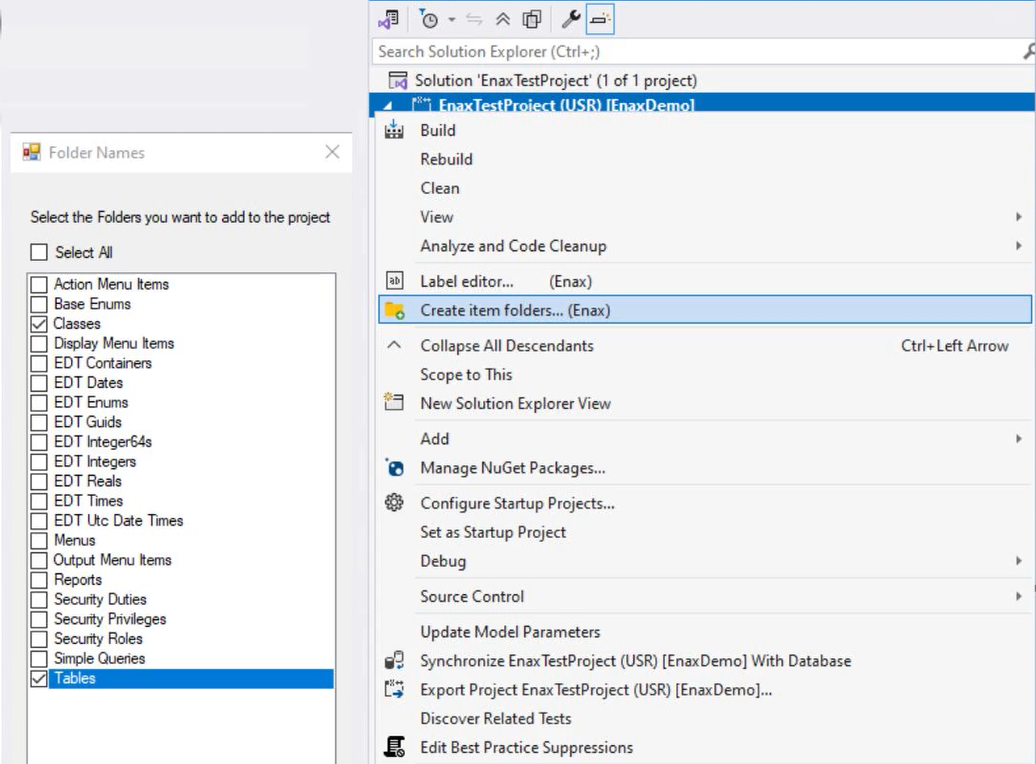
1. Project-Level Setup
Right-click on your project to create the required folder structure for EnaxLabel Pro.
This prepares your workspace for AI-driven development features.
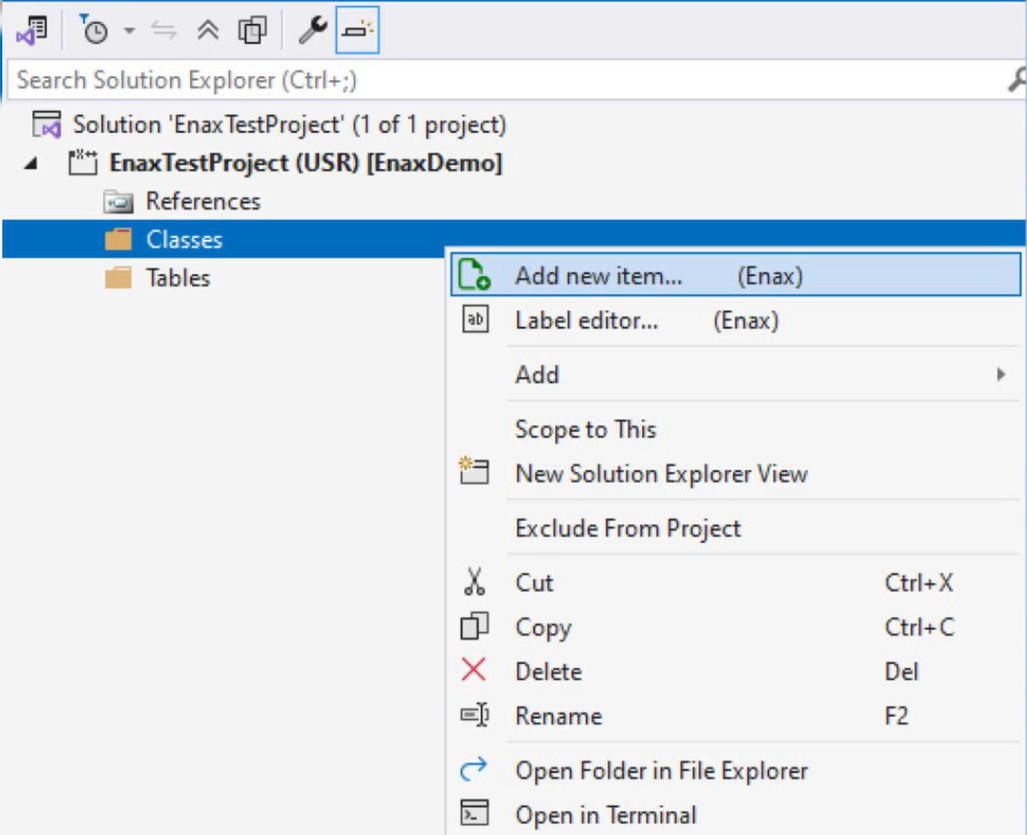
2. Access AI Creation Tools
Right-click on either the project or a specific folder to access AI-powered creation tools,
including Label Editor and structured object generation forms.
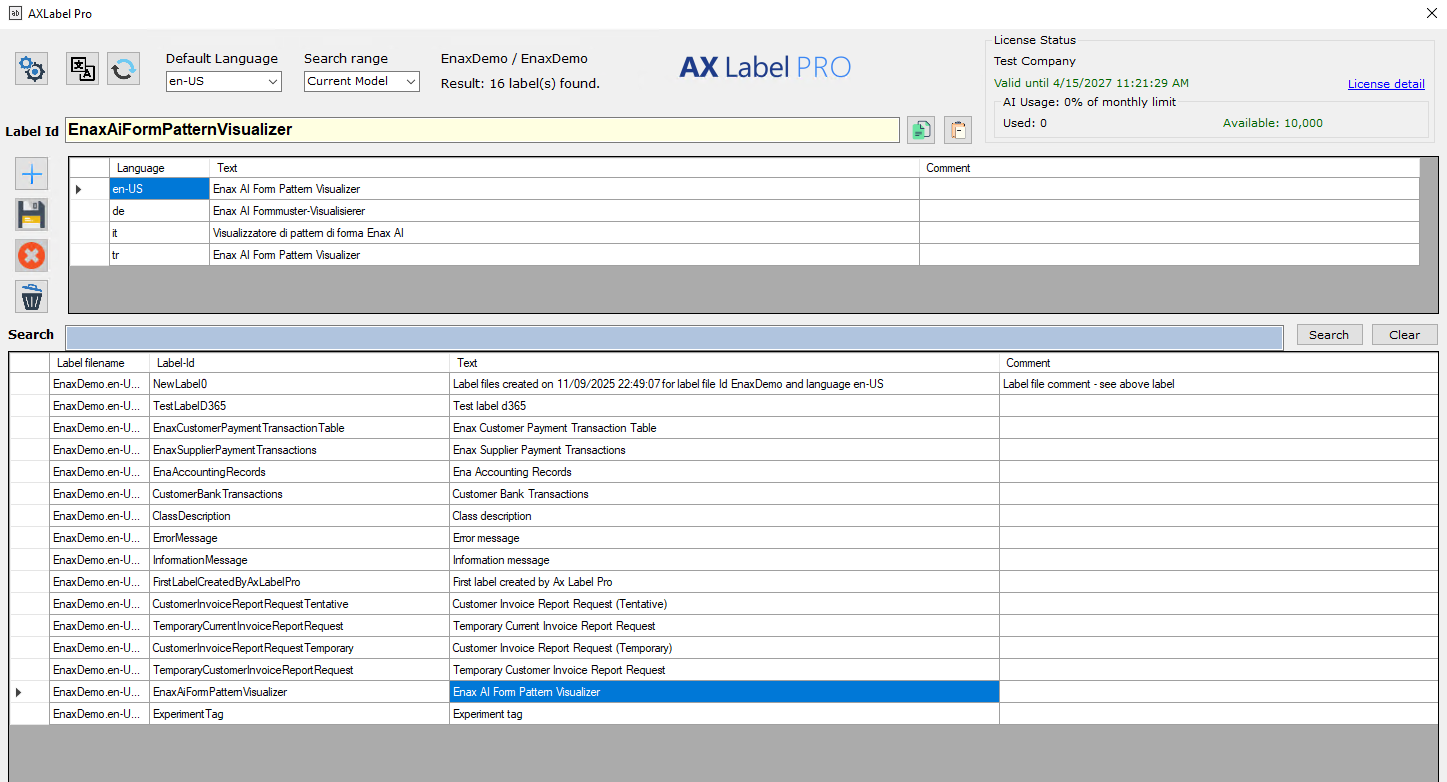
3. Label Editor Integration
The Label Editor is available directly from the context menu, allowing fast access to localization and label management features within your development environment.
All AI features are fully integrated into Visual Studio context menus, ensuring zero disruption to your development workflow while maximizing productivity.
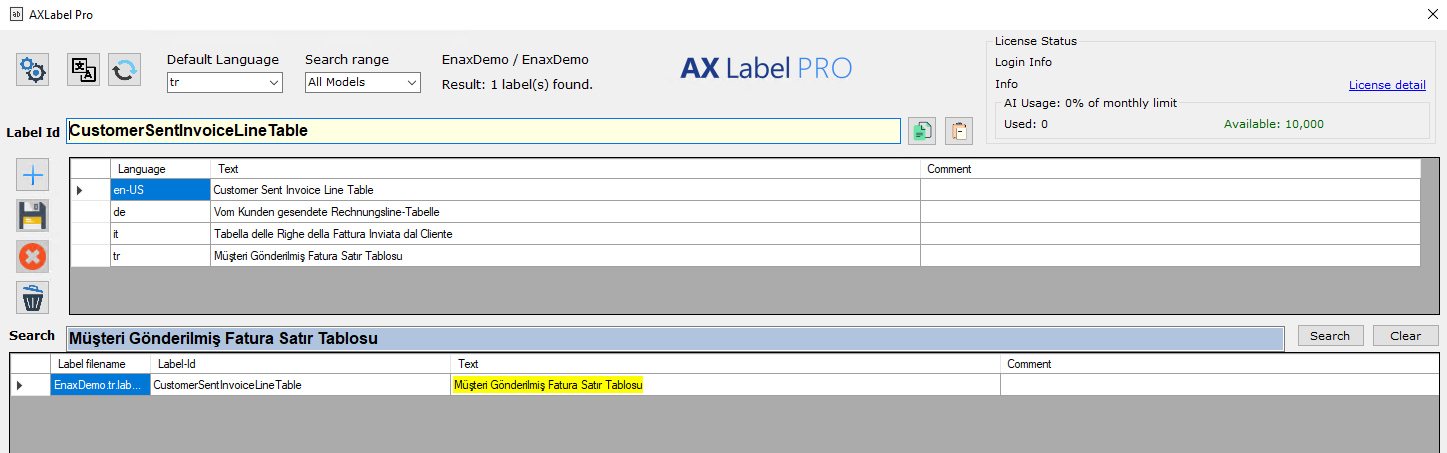
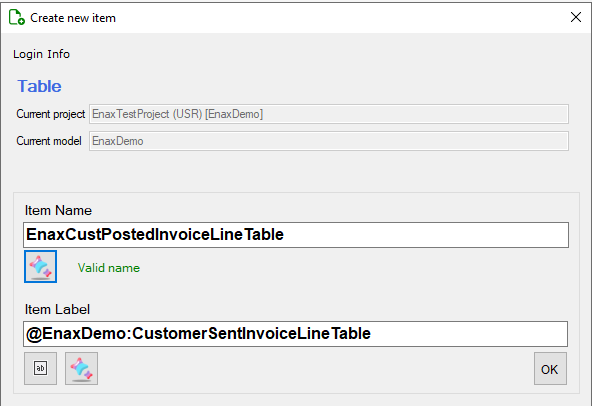
Label Management
Streamline label creation and management across your D365 FO projects
with a fast, consistent, and AI-assisted workflow.
- Create labels instantly with minimal input
- Automatically generate consistent label IDs
- Maintain naming standards across your project
- Simplify and accelerate localization workflows
AI Form Pattern Visualizer
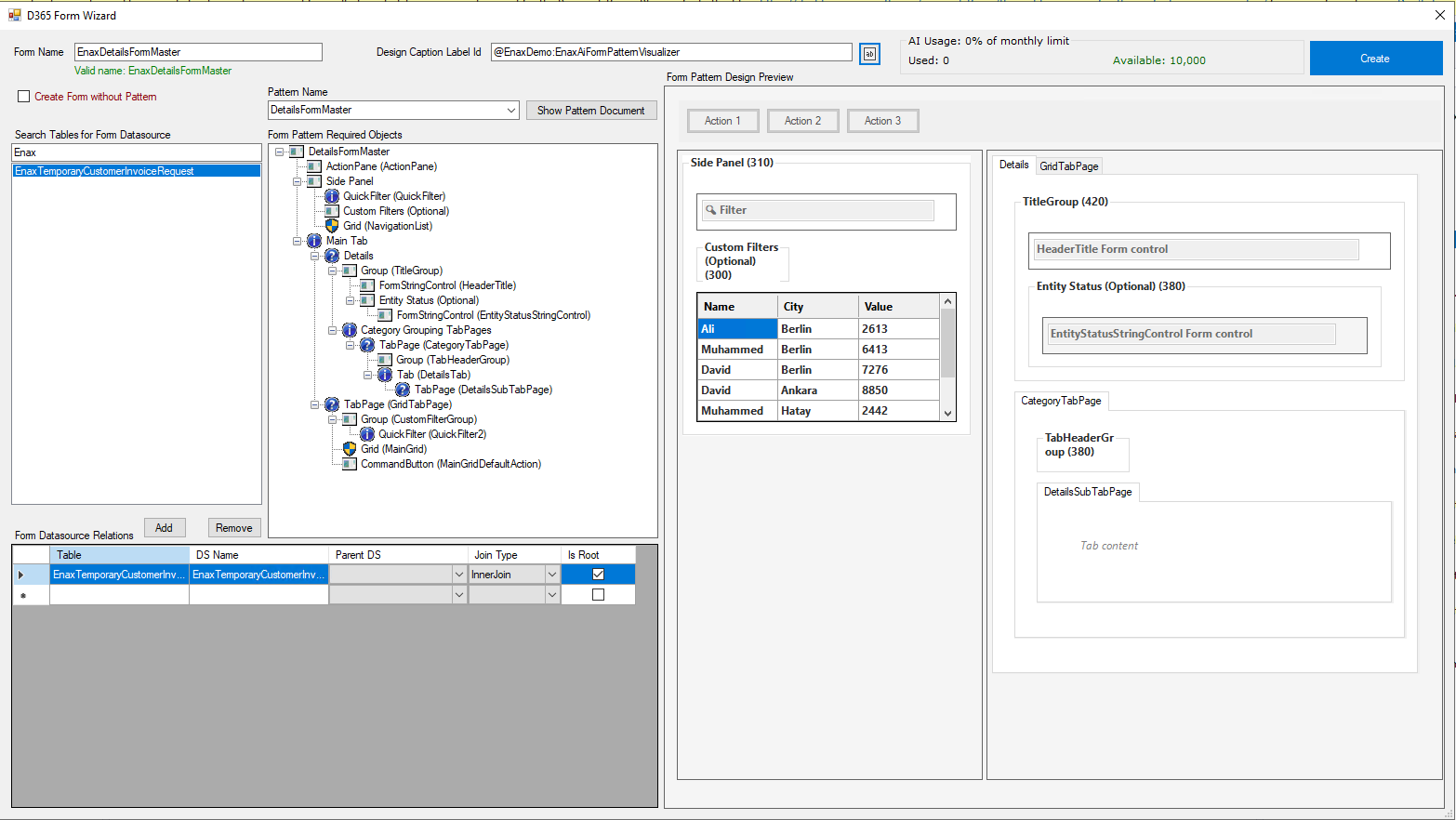
Form Builder AI lets you design D365 FO forms faster using AI-powered pattern generation.
It reduces manual effort and ensures Microsoft-compliant structure by default.
Preview, structure and generate D365 FO forms using intelligent pattern-based automation.
Everything is aligned with Microsoft best practices.
- Real-time visual feedback
- Pattern-based form preview
- Auto-structured generation
- Microsoft compliance by default
- Faster development workflow
AI Features
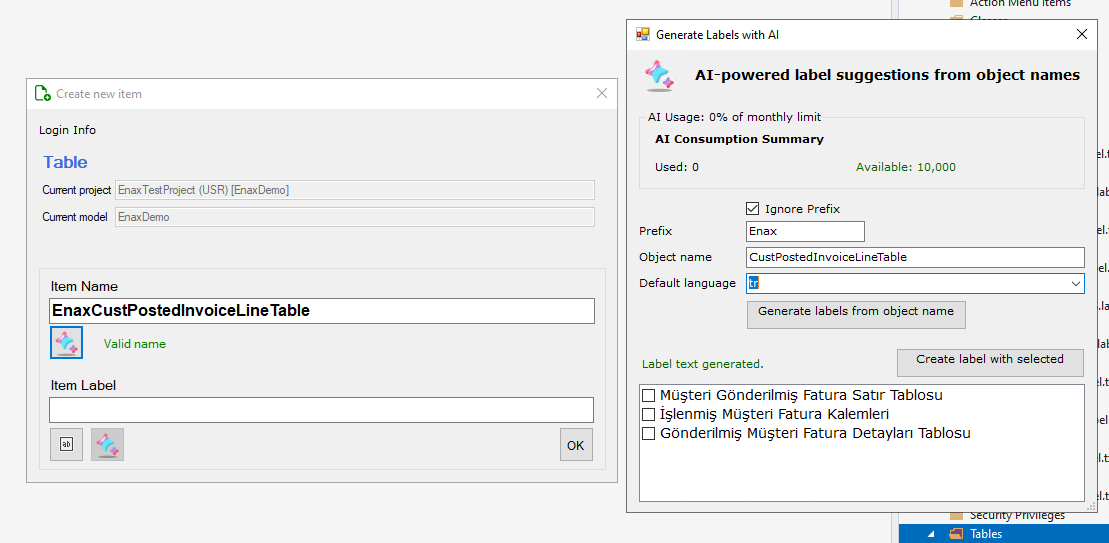
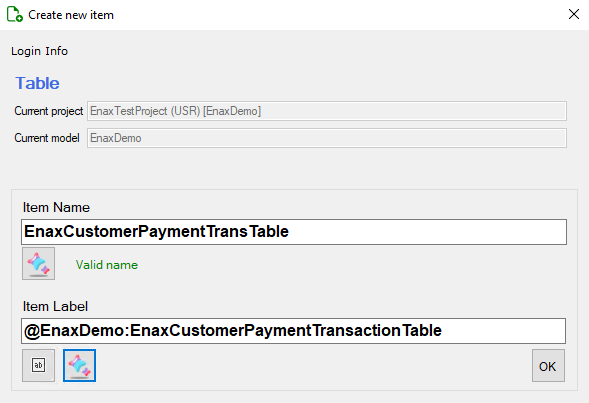
Object Name → Label Text Suggestion
Automatically generates human-readable label text from technical object names.
- Improves readability
- Ensures naming standards
- Reduces manual effort
- Enter object name
- Click "Generate Label"
- Review suggested text
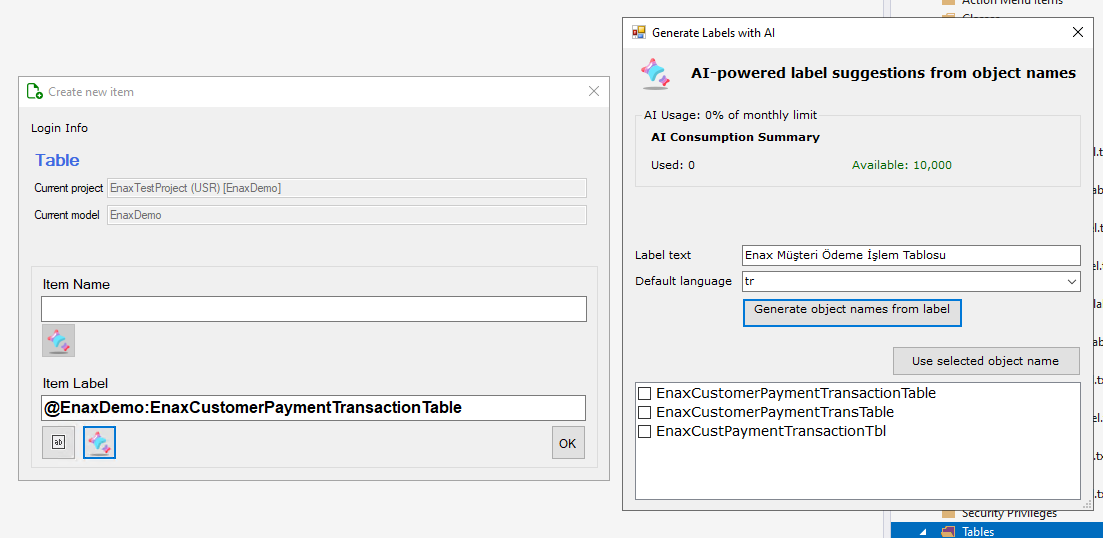
Label Text → Object Name Suggestion
Converts business-friendly label text into valid X++ object names.
- Enter label text
- Generate object name
- Use directly in development
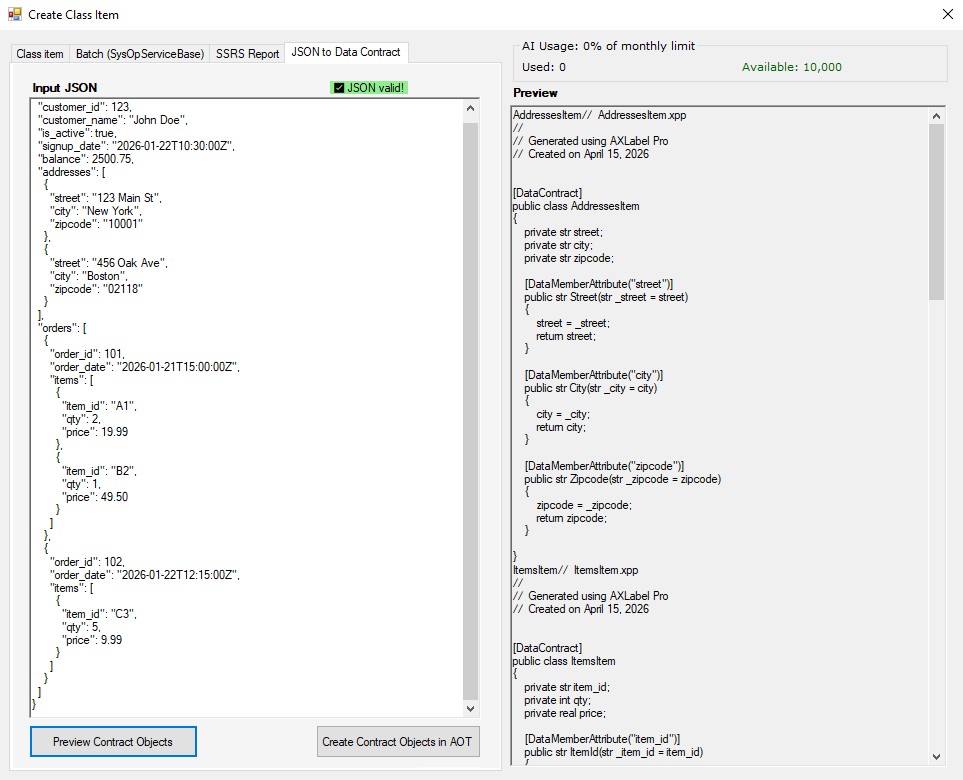
JSON → Data Contract AOT Object Creation
Instantly converts JSON structures into fully functional Data Contract classes.
- Auto-generates parm methods
- Applies DataMember attributes
- Ready for integration
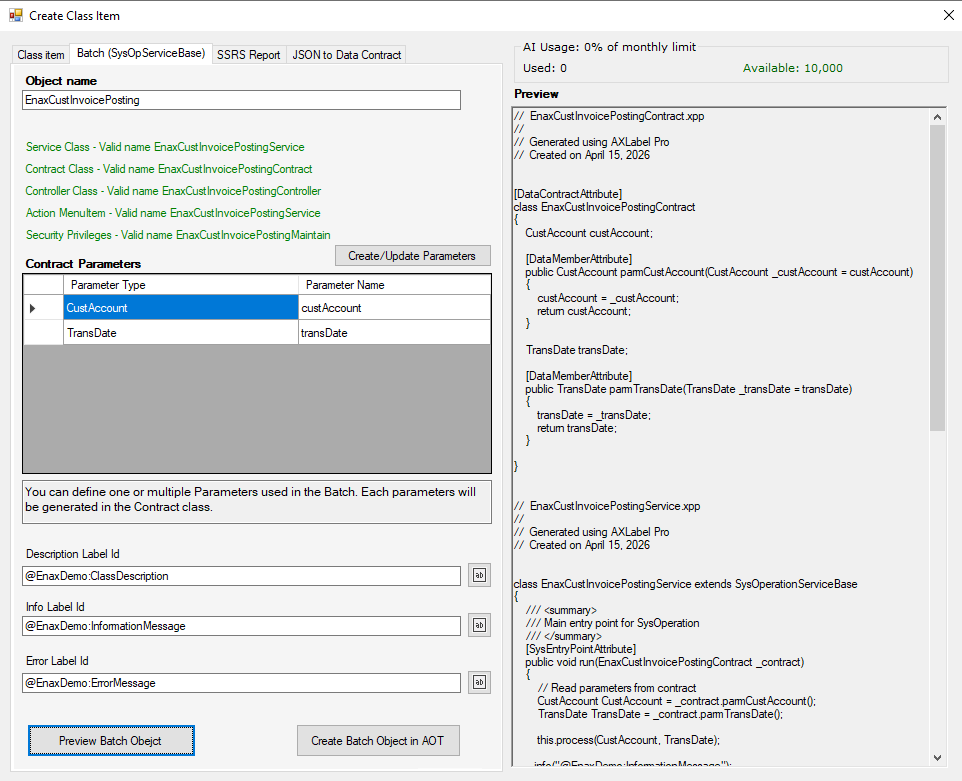
Batch AOT Object Creation
Generate multiple AOT objects in a single operation.
- Bulk processing
- Time-saving
- Error reduction
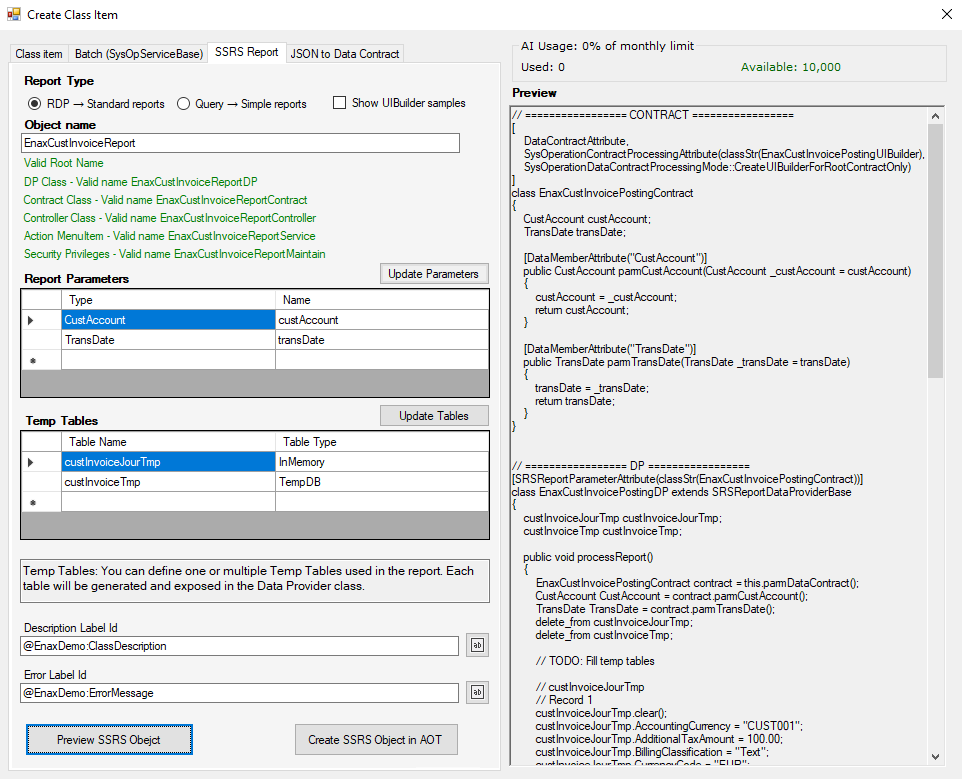
SSRS AOT Object Creation
Automatically generates complete SSRS report artifacts including:
- Data Contract
- Data Provider (DP)
- UI Builder
- Controller
Includes intelligent temp table parsing and sample data generation.